Swamp in action - Finding relevant branches in git
I had written a small script sometime in 2014 for me to separate out the stale branches from the most relevant branches in a git repository.
Today, I was working on a bunch of repositories. I wanted to figure out the recent most branches, and their relevance in relation to master. It hit me out of nowhere and I remembered the script I had written earlier.
First, see the script in action:

Alternatively, you can view it on asciinema.
Analysis
Right off the bat, I can see that
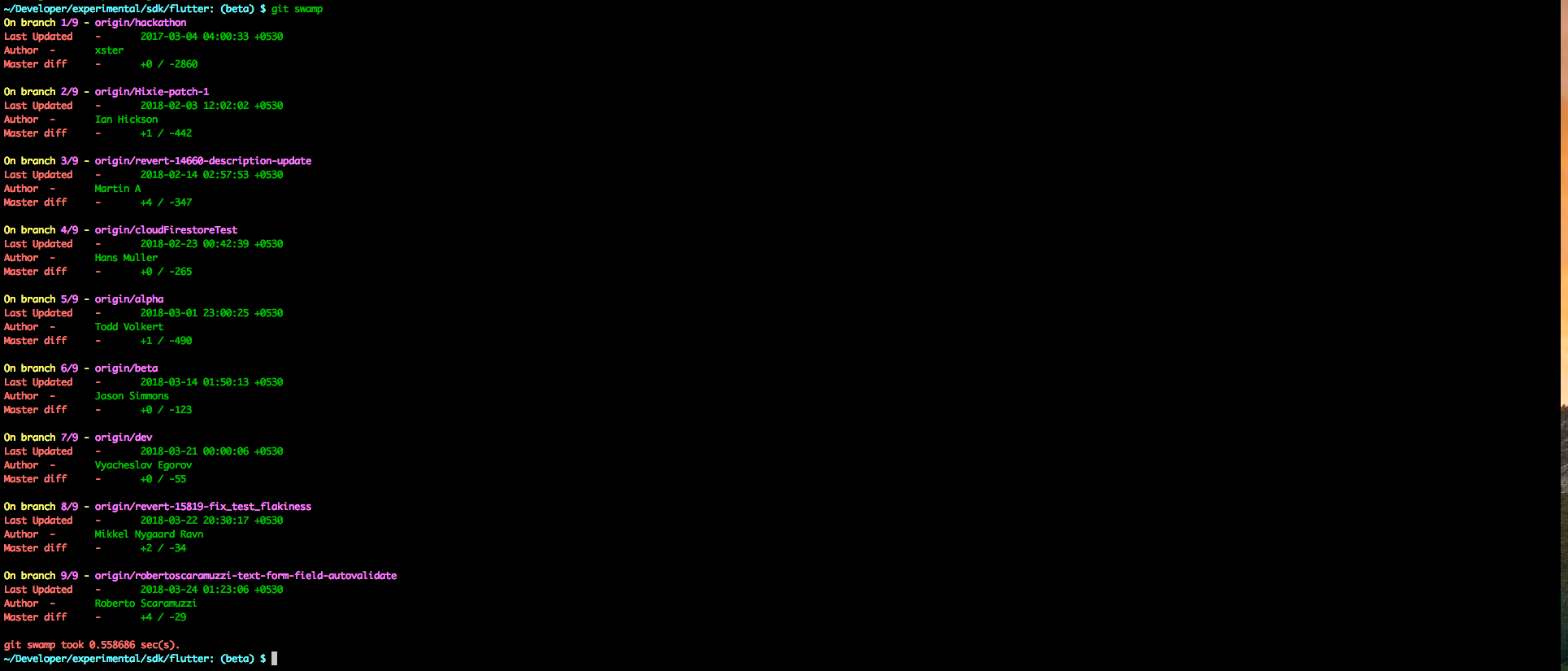
4 branches are all merged into master (+0) already.
  origin/hackathon
  origin/cloudFirestoreTest
  origin/beta
  origin/dev
I could probably nuke a few of these branches.
The branches being actively worked on are:
  origin/robertoscaramuzzi-text-form-field-autovalidate
  origin/revert-15819-fix_test_flakiness
and probably
origin/devAll right. Now I know which branch I want to branch off of.
How to install?
A quick and easy install is using this gist:
curl https://gist.githubusercontent.com/algogrit/3fd5b9ca88dd08ec5f6ce4d5e2c4c719/raw | shThe content of the install script is simply:
#!/usr/bin/env bash

mkdir -p /usr/local/bin
curl -s https://raw.githubusercontent.com/algogrit/Script-BackUp/swamp-0.3/OS%20X/Custom-Git-Commands/git-swamp > /usr/local/bin/git-swamp
chmod 744 /usr/local/bin/git-swamp
If you have /usr/local/bin in your PATH already, then you can starting using it as:
git swampI hope you find it as useful as the fun I had in writing it.
Related Articles
Introducing git multi
git-multi is a lightweight shell utility that lets you run Git commands across multiple repositories in one shot—no more manual hopping between directories.
To rebase or not to rebase?
Ever fixed one Git problem only to create three more? This post explains merge vs rebase with clear diagrams and real scenarios you’ll actually recognize.